How to Create a Budget-Friendly Smart Home Setup

Creating a Smart Home doesn’t have to be an expensive dream reserved for tech enthusiasts or luxury homeowners. With a little research, planning, and smart shopping, anyone can turn their living space into a connected, efficient, and convenient Smart Home environment without breaking the bank. In this comprehensive guide by Deep Dive Picks, we’ll walk you through every step of designing a budget-friendly Smart Home setup — from understanding what makes a home “smart” to choosing affordable devices that deliver real value.
- What Is a Smart Home?
- Why a Budget-Friendly Smart Home Is Possible
- Planning Your Budget-Friendly Smart Home Setup
- Best Affordable Smart Home Devices
- How to Automate Your Smart Home on a Budget
- Energy Efficiency in a Budget-Friendly Smart Home
- Security in a Budget-Friendly Smart Home
- Common Mistakes to Avoid When Building a Smart Home
- Integrating Voice Control in Your Smart Home
- Expanding Your Smart Home Over Time
- The Future of Budget-Friendly Smart Home Technology
- Conclusion
- Frequently Asked Questions
What Is a Smart Home?
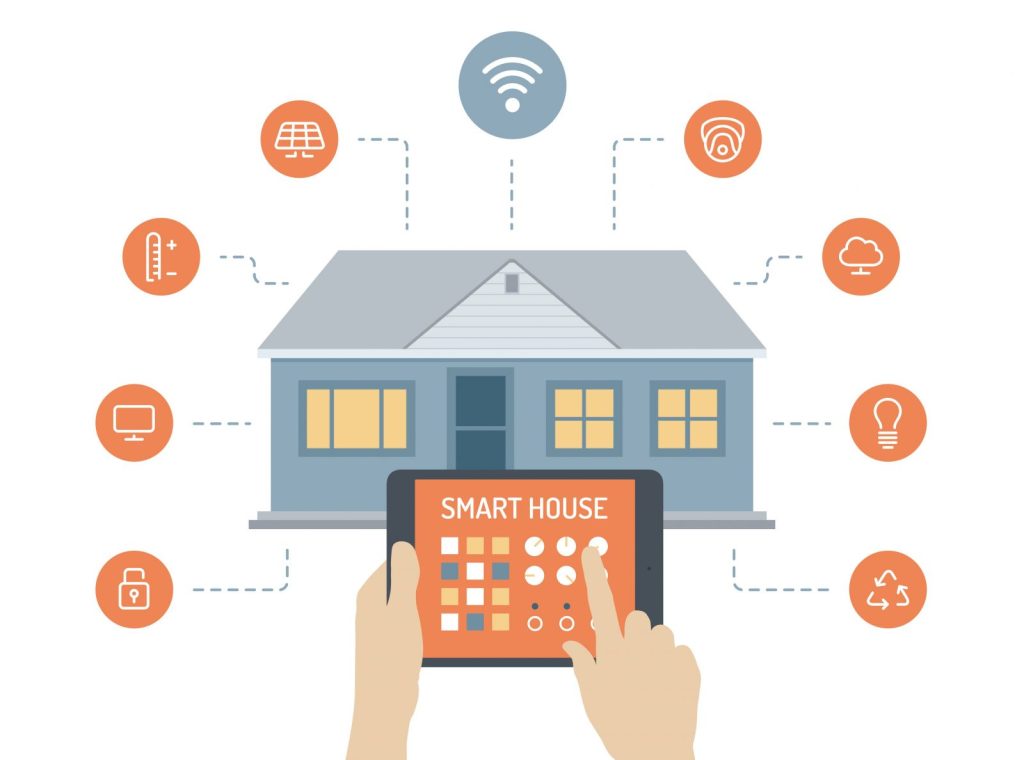
A Smart Home is a living space where everyday devices and systems — such as lighting, security, heating, and entertainment — are interconnected through the internet, allowing you to control them remotely using your smartphone, tablet, or voice assistant. The goal of a Smart Home is to simplify life, enhance convenience, improve security, and save energy.
Instead of manually flipping switches or adjusting thermostats, a Smart Home enables automation and seamless integration between devices. For example, your lights can automatically dim at night, your thermostat can adjust based on your schedule, and your coffee maker can start brewing as soon as you wake up.
Why a Budget-Friendly Smart Home Is Possible
Many assume that creating a Smart Home is a costly endeavor. While high-end automation systems can be expensive, the reality is that today’s technology offers a wide range of affordable devices. You don’t need to buy everything at once or hire professional installers. With careful planning, you can build your Smart Home gradually, focusing on devices that deliver the most impact for your lifestyle.
Affordable Smart Home brands like Wyze, TP-Link Kasa, and Amazon Basics have revolutionized accessibility, offering smart plugs, bulbs, and cameras for under $30. This democratization of technology means that anyone can enjoy the benefits of a connected home on a budget.
Planning Your Budget-Friendly Smart Home Setup
Before diving into purchases, planning your Smart Home setup is crucial. Start with a strategy that aligns with your budget and needs.
Step 1: Identify Your Priorities
Ask yourself what aspects of home automation matter most. Is it security, comfort, energy efficiency, or convenience? Focusing on one category at a time ensures you spend wisely.
Step 2: Start Small
Begin with essential Smart Home devices like smart plugs, light bulbs, or a voice assistant. Once you get familiar with how these systems work, you can expand gradually.
Step 3: Choose a Central Ecosystem
Every Smart Home functions best with a unified ecosystem such as Google Home, Amazon Alexa, or Apple HomeKit. Choose one ecosystem to ensure compatibility and seamless communication between devices.
Step 4: Set a Realistic Budget
Define how much you’re willing to spend per category. For instance, allocate $50 for lighting, $100 for security, and $70 for comfort-related devices. Staying within limits helps you build your Smart Home over time without financial strain.
Best Affordable Smart Home Devices
When building a Smart Home on a budget, it’s essential to invest in products that provide maximum utility without unnecessary complexity.
Smart Plugs
Smart plugs are among the most cost-effective ways to begin your Smart Home journey. They turn regular devices into smart ones by allowing you to control power through your phone or voice assistant. Brands like TP-Link Kasa and Wyze offer options under $20.
Smart Bulbs
Replace traditional bulbs with smart LED alternatives. These allow you to change colors, set schedules, and control brightness through your smartphone. Philips Wiz and Sengled bulbs are affordable and compatible with major ecosystems.
Smart Speakers and Voice Assistants
Devices like Amazon Echo Dot and Google Nest Mini act as the hub of your Smart Home, allowing you to control connected devices using simple voice commands. They also provide entertainment, weather updates, and reminders.
Smart Thermostats
Smart thermostats like the Wyze Thermostat or Google Nest Thermostat (budget edition) help you control temperature efficiently. They learn your schedule, save energy, and pay for themselves through lower utility bills.
Smart Security Cameras
Protect your home with affordable security solutions such as Blink Mini or Wyze Cam. These devices offer live streaming, motion detection, and cloud storage at minimal costs, enhancing your Smart Home security system.
Smart Lighting Systems
Consider upgrading to smart light strips or motion-sensing switches. Govee offers affordable and customizable LED light strips that enhance ambiance while maintaining energy efficiency in your Smart Home.
How to Automate Your Smart Home on a Budget
Automation is what transforms a house into a true Smart Home. Fortunately, most modern devices offer automation capabilities through apps or voice assistants.
Start by linking compatible devices within your ecosystem. For instance, you can set routines like “Good Morning” that automatically turn on the lights, start the coffee maker, and read you the day’s weather.
You can also automate based on conditions — for example, turning off all lights when you leave home or adjusting the thermostat when motion isn’t detected. These small automations make your Smart Home efficient and convenient without expensive controllers.
Energy Efficiency in a Budget-Friendly Smart Home
One of the biggest long-term advantages of a Smart Home is energy savings. Even budget devices can make a significant difference in reducing energy waste.
Smart thermostats ensure optimal heating and cooling, while smart plugs help you track and cut down on vampire power usage. Smart lighting systems use LED bulbs that last longer and consume less energy. Over time, these savings can offset the initial investment in your Smart Home devices.
Security in a Budget-Friendly Smart Home
Security is a top priority for any homeowner, and even with a tight budget, you can build a robust Smart Home security network.
Affordable devices like door sensors, motion detectors, and video doorbells can all be connected to your smartphone for real-time alerts. You don’t need a professional installation or expensive monitoring subscriptions. Systems like Ring and Wyze offer flexible plans that give you full control of your Smart Home security.
Common Mistakes to Avoid When Building a Smart Home
When creating a Smart Home on a budget, it’s easy to get overwhelmed by choices or make purchases that don’t fit your ecosystem. Avoid these common pitfalls:
- Buying incompatible devices – Always check compatibility with your chosen ecosystem (Alexa, Google, or Apple).
- Skipping firmware updates – Keep devices updated for security and performance.
- Overcomplicating setup – Start simple; add complexity later as you gain confidence.
- Ignoring privacy settings – Adjust permissions and use strong passwords to protect your Smart Home network.
- Neglecting Wi-Fi coverage – Ensure your home has strong, consistent Wi-Fi coverage to prevent device dropouts.
Integrating Voice Control in Your Smart Home
Voice control is one of the most exciting and practical features of a Smart Home. Devices like Alexa, Siri, and Google Assistant allow you to manage multiple systems hands-free. You can lock doors, adjust lighting, and even control entertainment with simple voice commands.
Even low-cost smart devices support voice control today, making it easier than ever to achieve convenience and futuristic control without exceeding your budget.
Expanding Your Smart Home Over Time
Building a Smart Home doesn’t have to be completed in one go. Start with essentials and gradually expand as new needs arise. You can integrate smart kitchen appliances, robotic vacuums, or smart blinds as your budget allows.
A phased approach not only spreads out costs but also gives you time to understand how each addition improves your daily life. The key to a successful Smart Home is consistent improvement and adaptability.
The Future of Budget-Friendly Smart Home Technology
The future of Smart Home technology is bright and increasingly affordable. Innovations like Matter — a new smart home standard — are improving device compatibility across brands, allowing seamless integration regardless of ecosystem.
As competition grows, expect lower prices, better energy efficiency, and enhanced automation. This means creating a Smart Home will become even more accessible to everyone, regardless of budget or technical expertise.
Conclusion
Creating a budget-friendly Smart Home is more achievable than ever. By starting small, focusing on essential devices, and choosing affordable yet reliable brands, you can enjoy the benefits of automation, convenience, and security without overspending.
Remember, the key is not to rush but to plan wisely. As technology continues to evolve, your Smart Home can grow with it — one smart device at a time. With strategic planning, thoughtful purchasing, and ongoing optimization, your Smart Home will enhance your lifestyle while saving money and energy in the long run. Find everything you need to know on our main site.
Frequently Asked Questions
1. What is the cheapest way to start a Smart Home?
The most budget-friendly way to start a Smart Home is by using smart plugs and bulbs. These inexpensive devices instantly give you remote control and automation features for existing appliances.
2. Do I need a hub to build a Smart Home?
Not always. Many modern Smart Home devices connect directly to Wi-Fi or Bluetooth and work seamlessly through mobile apps or voice assistants, eliminating the need for a central hub.
3. Can I make my old devices smart?
Yes. You can use smart plugs, infrared controllers, or adapters to turn traditional appliances like fans, TVs, and coffee makers into smart devices within your Smart Home system.
4. How much should I budget for a Smart Home setup?
A solid entry-level Smart Home can start from as low as $100–$300, depending on the number and type of devices you want to include.
5. Are Smart Homes secure?
Yes, Smart Homes can be very secure when you use strong passwords, enable two-factor authentication, and keep devices updated. Reliable brands also include encryption and security protocols to protect your data.